🚀 Getting started
A tour of FieldGene: the menu, your day, and how a job flows from booking to paid.
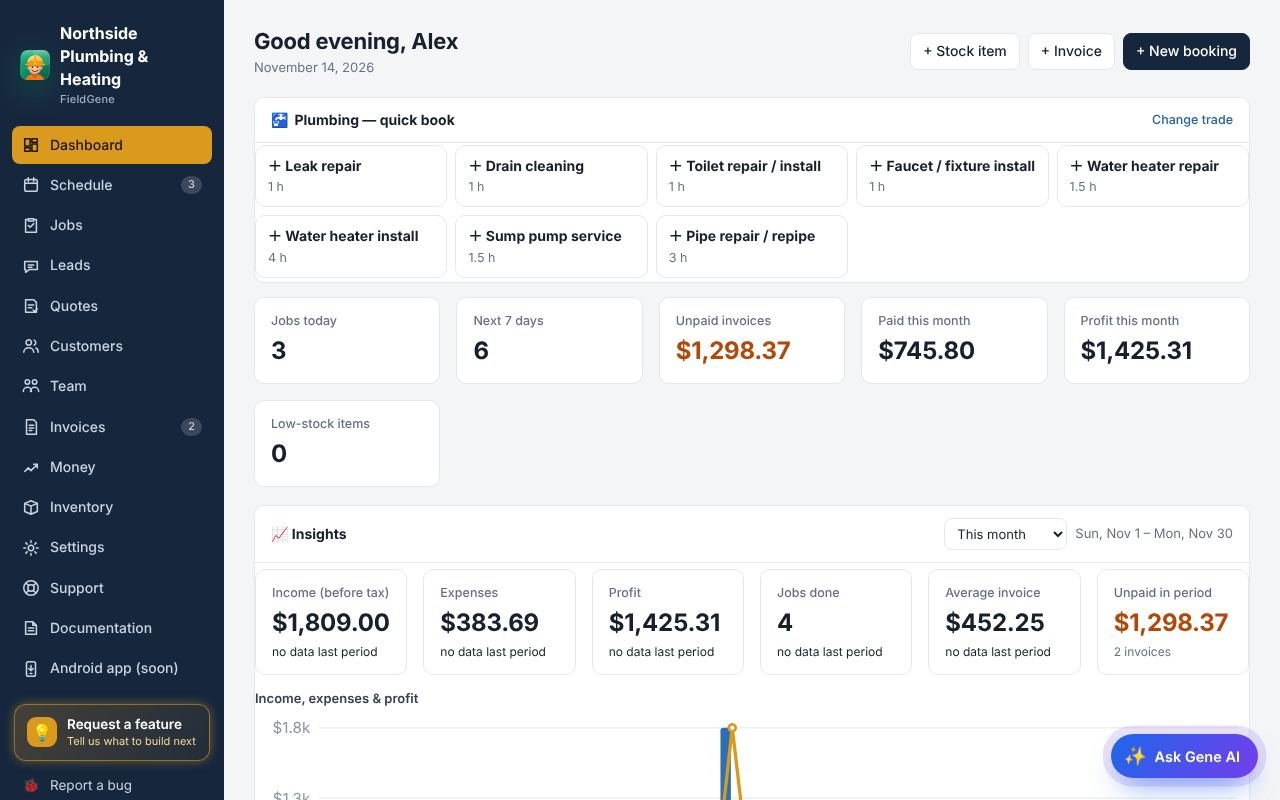
1/6Welcome to FieldGene. The menu on the left takes you everywhere: your schedule, jobs, quotes, invoices, customers, money and settings.
Getting started: step by step
- Welcome to FieldGene. The menu on the left takes you everywhere: your schedule, jobs, quotes, invoices, customers, money and settings.
- The dashboard shows your day at a glance: today’s jobs, who is on them, and money still owed to you.
- A job starts with a booking. Add it yourself, or let customers book on your online booking page.
- When the work is finished, tap Done. The invoice is created for you with the service, parts and tax.
- Send the invoice in one tap, let the customer pay by card, and FieldGene marks it paid by itself.
- And Gene AI can do most of it for you. Just type or talk, like you would text a friend.
Read the full documentation → · Try FieldGene free →
More video guides
 ▶
 ▶
 ▶
 ▶
 ▶
 ▶
 ▶
 ▶
 ▶
 ▶
 ▶
 ▶